The “Ngara” system field-test in outback Australia yielded a data-rate of 12 megabits per second (1.5MB/s) at a range up to 8.1km (5 miles) using just one channel of a soon-to-be decommissioned 7MHz analogue TV spectrum with just 3-watt antennas. The benefit of such a system is that it utilizes an ubiquitous infrastructure for TV transmission.
Of course, the CSIRO is not the only ones interested in wireless networking on white-spaces. Microsoft has been doing some research of their own.
Microsoft’s project, dubbed “WhiteFi” focuses more on the ability to utilize fragmented white space spectrum across different channels as they vary by location and interference. They too have successfully deployed a white-space wireless network at the Microsoft campus that provides a bridge for WiFi internet access within its shuttle buses.
Hopefully the two technologies can complement each other to improve wireless networking in wider areas.
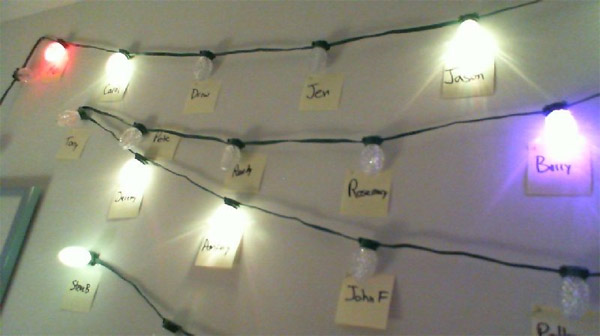
Some people hang colorful Christmas lights outside their house and others hang flashing ones on the Christmas tree, but you probably haven’t seen Christmas lights as cool as these on an office wall. Then again, very few Christmas lights are powered by the .NET Micro Framework.
With his new-found powers over a string of lightbulbs, he had the bright idea to use them to display presence information for his instant messenger contacts, on Microsoft Lync (Unified Communications) of course, which according to Andrej has a great SDK.
The end result is decoratively festive yet arguably functional. Check out the set up and an overview of the project in the video below.
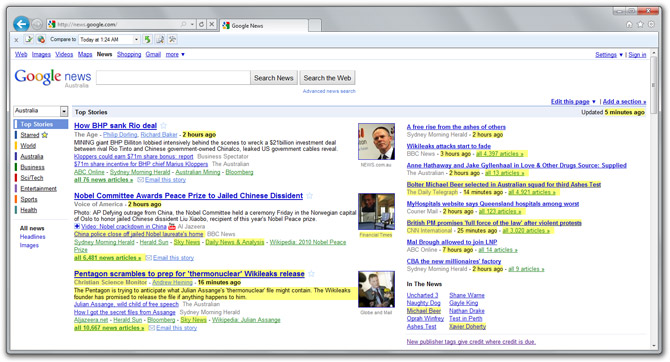
A new prototype Internet Explorer add-on from Microsoft Research called “Diff-IE” adds a little bit of version control magic to your browser, showing you exactly what has changed on the increasingly dynamic web. Perfect for people who refresh websites every other minute like myself.
This simple but ingenious plugin caches multiple copies of websites you open (by default, last five visits) and on subsequent visits compares the contents and highlights any changed text elements. Optionally, you can also enable to save an image-cache of each visit which you can later view or compare side-by-side.
Until now, RSS and (more recently) Twitter feeds has become the status-quo for keeping up-to-date with websites, but unfortunately they take you out of the website’s experience. Although not applicable to all sites, an enhancement to a browser like this makes much more sense for sites and forums whose content evolves rather than change completely.
In a test conducted with 30 users over a month, the researchers’ found their tool had a positive effect on revisitation patterns and perception of web content. They also noted “some participants reported the highlighting had become an indispensable part of their browsing”.
Personally I think the idea could very well make its way inside Internet Explorer if made a bit more subtle, for example, gradually fading out the highlight after it has been seen.
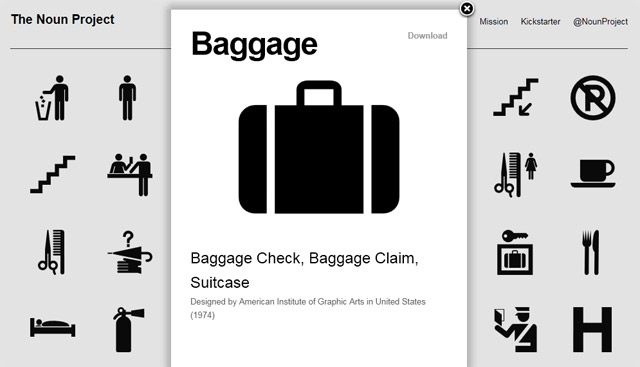
A new and upcoming graphics design initiative called “The Noun Project” is going to make a lot of Windows Phone 7 designers and developers very happy.
The project’s mission is to collect, organize and make available an extensive library of free pictograms/icons for common nouns and concepts that make up the universal visual language, which also happens to be a major theme in Microsoft’s Metro design style. The best part, all icons are guaranteed to be free.
Still in it’s early stages, the website currently offers a solid set of 500+ icons. Unfortunately searching and categories are still being developed so it makes finding icons somewhat difficult in the meantime, but nevertheless fun to browse. They also plan to accept third-party contributions and host competitions to continue growing their collection.
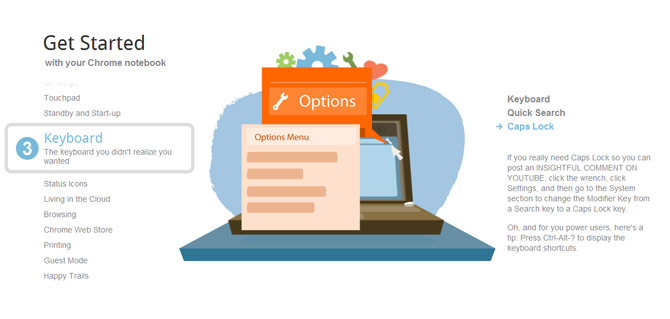
There’s a fun report making the rounds that the Chrome OS notebook, specifically the Cr-48, doesn’t have the ability for caps lock, the cornerstone of many intellectually provocative and well mannered comments across the web.
Whilst it is true the keyboard button where the caps lock is usually has been replaced by a search button (a smart move for a company with a search engine), Google actually gives users the option to switch its functionality back to caps lock. Hopefully, the obnoxious won’t figure that out.
Today marks the first out of the five week challenge where Mark, the groom, must live and breathe the “Windows + Cloud” lifestyle using only a Windows 7 PC, Office 2010 and Windows Live – notably SkyDrive. If that wasn’t hard enough, he’s also confined to a special “bachelor bubble” in the heart of Sydney so he can only interact with others electronically.
It’s one thing to use Windows + Cloud for family photos and holiday plans, but it’s a whole different ball game when your marriage might depend on it. With that, good luck to Mike.