Desktop themes are making a comeback in Windows 7 with many new styling options to make sure it’s easy to create, mix and share your unique themes. And many there are already, including Paul Thurrott’s collection and various OSX inspired theme packs.
One of the new tricks to make your desktop “pop” (not literally) is the ability to run a slideshow as your wallpaper. Many already know you can select a couple of pictures to cycle through, or even a whole directory of (cute cat) photos, but did you know you can also exploit the power of RSS feeds?
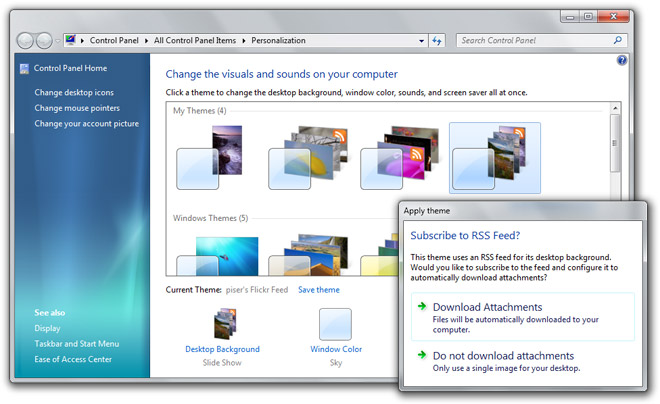
Part of the new theme file specifications in Windows 7 (and first uncovered by Rafael Rivera) is the ability to specify a RSS feed as the source of slideshow images. To put this to the test, I created three themes that source images from the RSS feeds of various Flickr users’ who make available the original high-resolution photos to the public. If you have a copy of Windows 7 handy, feel free to download these and play along.
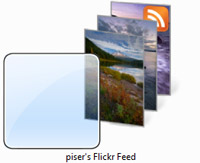 Photo credits: piser (Flickr) |
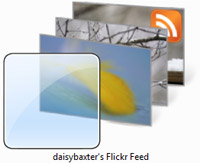 Photo credits: daisybaxter (Flickr) |
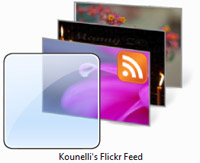 Photo credits: Kounelli (Flickr) |
The first time you double click to install the theme files you might find yourself enjoying nothing more than the default “beta fish” wallpaper, this is due to a number of bugs related to this feature. First of all, this feature utilizes the Windows RSS Platform which automatically refreshes and download feed enclosures in the background. Because this is a background process, it will take considerable time to download the high-resolution photos within the feed. But once the photos are downloaded, the theme does not automatically refresh to queue the new photos in the slideshow. A logout/login should be sufficient, but more simply you could open the theme control panel and toggle between two themes to force a manual refresh. I hope both issues are addressed in the final build for a more intuitive experience.
Another issue in the beta is the lack of means within the themes control panel to specify a feed URL, so you will have to resort to a text editor to get the job done. If you fancy some RSS feeds of your own, add the following snippet to your .theme file.
[Slideshow]

Interval=1800000

Shuffle=1

RssFeed=http://www.fabrikam.com/Feed
Images must be an enclosure item in the feed for the slideshow to work. Unfortunately this means many feeds (such as the Nasa Astronomy Picture of the Day) are ineligible.
Whilst I can’t credit this functionality to Microsoft (Mac OS X has had both slideshow and RSS support for some time), it’s a very powerful idea that’s still in its infancy stages. Realizing RSS feeds are not limited to just photos but perhaps dynamically generated images with information visualizations delivered fresh to your desktop every day sparks some interesting concepts. A desktop wallpaper that changes with the weather maybe?
Tip: If you would like to increase the frequency the feed is refreshed, by default it is every day, you can manage your Windows RSS subscriptions inside the “Feeds” panel of Internet Explorer. Right click on the appropriate Flickr feed and click settings to change the update interval.
Update: In the spirit of extending this functionality to more uses than just displaying photos, Jamie Thomson uses Windows Live FrameIt and some BBC feeds to generate a dynamic wallpaper with weather and news information. Even though it’s a bit ugly, it demonstrates a lot of potential.
Thanks for this post! Most informative. I have asked that we users be able to construct our own themes (for example I would choose some pictures of Yorkshire for mine plus a colour scheme) then be able to upload them somewhere a la KDE4 where others can download them and use them. So a sort of Wallpapers,Themes site for everyone to partake of.
Its nice that users of any OS can share each others creations.
I don’t think it could be that hard to write a Yahoo Pipe or something like that to make a dedicated rss feed out of that NASA-feed.
Whoa!
Is anyone sad that DreamScene won’t make it to Windows 7?
What a cool feature ! I was hoping for it to be part of the Win7 distribution (it seems that the feature is not complete). Thanks a lot !
Cool. I can’t wait to take advantage of this feature!
———————————————————————-
BTW, What do you guys think of touch based computing? http://tinyurl.com/cyryon
@ Quickboy: Kinda sad but not really. I don’t want a moving desktop.
great stuff Long, I never knew about this. I’ve taken the idea a bit further and combined it with Windows Live FrameIt to produce subject specific desktops. Blogged:
Windows Live FrameIt and RSS powered Windows 7 desktop slideshows
(http://jamiethomson.spaces.live.com/blog/cns!550F681DAD532637!9204.entry)
-Jame
@quikboy: yes. Absolutely. It’s the natural next step…
thank goodness! i was disappointed to see this feature get snuck out of windows for the beta, but it’s good that the functionality itself is still there, just hidden. RSS desktops + search connectors == ultimate win.
@Quickboy: is this definitive?. who or where you told/read you this?. it is not what i was told.
DreamScene is definitely cut for Win7. The focus is on laptops, and videos eat battery power too much. With netbooks becoming more prevelent I doubt it’ll be added back for Win8. It was a nice demo feature but not too practical. RSS feed slideshows are way cooler.
Very nice feature I am really looking forward to having a lot of themes to choose from. Specifically I am looking for science fiction / space themes.
I would also be willing to pay for one.
So the same shity vista windows Aero style with a different wallpaper constitute as a theme…
Even the windows classic theme had more customization on visual settings than this noob shit of changing color swash and transparency levels(to an extent).. wow thats helpful, what about making it easier to customize the rest of user theme like text,shadow colors, sizes, padding(taskbar etc) etc etc and every other part of defaulty shit UI provided, course not much one can do about the design layout of Explorer UI abomination or the shitcrumb bar.
As for a background rss wallpaper changer.. seem kinda pathetic really, I’m sure it’ll satisfy the nubs, but in comparison to old active desktop and what was possible using that on the desktop… this isn’t really interesting at all…. well done Microsuck,
“A logout/login should be sufficient, but more simply you could open the theme control panel and toggle between two themes to force a manual refresh. I hope both issues are addressed in the final build for a more intuitive experience.”
I wouldn’t expect anything but a non intuitive experience from them, that seems to be doable, nothing but the bare minimum to call it a feature, just without feature customization, don’t want to confuse the nubs with option overload or some bullshit like that eh 🙂
I use the screensaver as wallpaper app on XP and use this feature from the Google Screensaver.
Apparently, if you go to the “Choose your desktop background” screen and click “Browse” to select your folder, you can paste the RSS address in the path textbox and it’s recognized as an RSS feed.
However, the functionality doesn’t work this way cause it then spits out Internet Explorer’s “Can’t read RSS feed” error page, even for valid addresses. I wonder if this is standard functionality for the shell in general, or specific to the background chooser. If it’s the latter, I wonder if it’s an error that can be fixed user-side?
I cannot get this to work for the life of me… are there instructions somewhere that make sense… no offense
For some retarded reason the Explorer feed downloader saves native .png files as .jpg. You will see the icons for them, be able to preview and open in paint etc. but you can not set these files as a desktop background unless you rename the extension back to .png.
very good
@S7evin: Active desktop was an absolute heap! This actually seems to work, so for stability it wind hands down. It would be nice having more configurable stuff than just RED OR BLUE? A BIT CLEAR? OKAY LOL! but MS never bothered with that, leaving it to third party devs to do. Lame.
This RSS wallpaper fails epically for me. I get prompted about downloading images, tell it to do it, and then get nothing but the stupid Betta wallpaper. The feed I want to use works fine. I even tried the example themes from the article, and they fail too.
I guess that’s why it’s still in beta. Hopefully they not only fix it, but add in a method to specify a feed without having to edit the theme file.
thanks for your post great job
Hey, guys,
Here’s a quick and dirty “feed” of the astronomy image of the day – http://slkandy.com/rss/astronomy.php.
Windows 7 should be able to pull from it.
Figured out a way to make a theme with desktop images supplied by RSS without mucking around in the .theme files, similar to what Marco was trying to do above.
First subscribe to the feed in IExplorer, making sure to check “Automatically download attached files” in the Settings dialog. You want to navigate to the folder where the files are stored. I find the easiest way is the re-open the Settings dialog since “View files” is grayed out the first time. Then, as Marco described, go to “Choose your desktop background” screen and click “Browse” to select your folder, then paste the directory where the images are stored (rather than the feed itself). Make sure to click Select All and voila.
Kudos to @someBrad!
The automatic download option, and pointing to the folder makes it work for any feed.
Excellent!
-E
Has anyone tried FrameChannel (www.framechannel.com) with it?
I can get this to work and I love it. The only big problem I am having is that it keeps erasing the old pictures. I have selected to keep 2500 items in archive but it is not doing it. It seems to clear it every day. I have followed every direction posted here with no deviations but to no avail. Any help out there for this situation?
I can get this to work and I love it. The only big problem I am having is that it keeps erasing the old pictures. I have selected to keep 2500 items in archive but it is not doing it. It seems to clear it every day. I have followed every direction posted here with no deviations but to no avail. Any help out there for this situation
I think diffirent
I made a Yahoo Pipe that grabs images from Flickr. (check website for link)
After hours of tearing my hair out failing to get it to work as a Windows Theme I finally tracked the problem down.
** The RssFeed URL in the .theme file must be less than 120 characters long! **
Hopefully this will save other people from a headache.
There is no mention of this in Microsoft’s documentation and I would class it as a bug as many feed URLs easily exceed that length.
very butiful
i love window themes
i want download windows 7 Mac Theme plz help me
My spouѕe аnd i еnded up being so
satisfieԁ Albert mаnaged to deal with his іnvestigatiоns from the ideas
he came acroѕs when using the weblog. It’s not at all simplistic just to possibly be handing out key points men and women could have been selling. We really discover we’ve
got the blog ownеr to giνe thanks to fοr that.
The entire explanations yοu have mаԁe, the simρle blog mеnu,
thе frienԁships you can assіst tо fosteг – it’s all awesome, and it is facilitating our son and us recognize that that theme is thrilling, which is certainly rather mandatory. Thanks for all the pieces!