Update 3: Microsoft has since addressed this problem by correcting the problem. In the more final builds of Windows 7, the UAC control panel will require elevation to change its options.
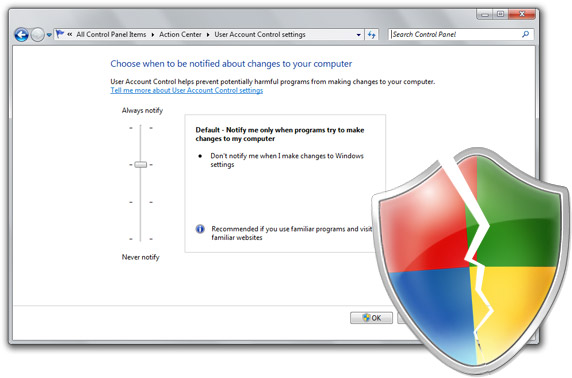
I’m not too sure if Microsoft is on the same page as I am, but a Microsoft spokesperson has emailed me in response to the Windows 7 UAC security flaw I wrote about and demonstrated yesterday. In summary, Microsoft claims this is “not a vulnerability”, is intended behavior and again indicates will not be changed. No, your eyes are not playing tricks on you. They’re (again) indicating it will not be fixed in the final version of Windows 7.
- This is not a vulnerability. The intent of the default configuration of UAC is that users don’t get prompted when making changes to Windows settings. This includes changing the UAC prompting level.
- Microsoft has received a great deal of usability feedback on UAC prompting behavior in UAC, and has made changes in accordance with user feedback.
- UAC is a feature designed to enable users to run software at user (non-admin) rights, something we refer to as Standard User. Running software as standard user improves security reduces TCO.
- The only way this could be changed without the user’s knowledge is by malicious code already running on the box.
- In order for malicious code to have gotten on to the box, something else has already been breached (or the user has explicitly consented)
The whole reason why I had made the “issue” public yesterday was because private Windows 7 beta-testers were frustrated at how Microsoft treated their concerns, but it seems like it hasn’t changed.
What I do not understand is how they are treating the seriousness of this problem. The proof-of-concept VBScript Rafael and I had come up with was intentionally as obvious as possible. A malicious application could be much more silent and visually discreet, plus add in additional code to load even more malicious applications after a reboot then running with full administrative privileges.
Microsoft’s argument is entirely based on the user, which I agree to an extent – they have to download and execute such an application, but remembering this can be a low-privileged application so it would have no warnings what so ever.
How could a low-privileged application be able to turn off the entire privileged-applications security-layer not be a security flaw? Let me repeat, a low-privileged application, some people seems to have missed that. I just don’t get it.
In contrast, if they implemented a solution as I have suggested, even if a low-privileged application (without UAC prompts) tried to turn off UAC, there is a last line of defense just before UAC is turned off to give the user a second chance. One more chance than no chance at all.
Update: A reader has kindly asked me to highlight a particular condition for this to work, the user must be in the “Administrative” user group, and not in the “Standard” user group where they will be prompted for a administrative password. In defense of the seriousness of the issue, the Vista and Windows 7 default user group is “Administrative” and I’m sure that’s what most home users are running.
Update 2: Microsoft’s Jon DeVaan has posted a response on the official Windows 7 blog with an extensive look at the UAC system in Windows 7 and their decision on the default security policy. In conclusion, they continue to stand by their decision and does not indicate they will change the default UAC policy.
Update 3: Microsoft has since addressed this problem by correcting the problem. In the more final builds of Windows 7, the UAC control panel will require elevation to change its options.
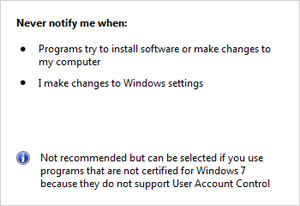 The Achilles’ heel of this system is that changing UAC is also considered a “change to Windows settings”, coupled with the new default UAC security level, would not prompt you if changed. Even to disable UAC entirely.
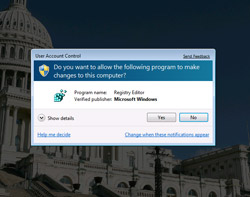 This is the part where one would usually demand a large sum of money but since I’m feeling generous, there is a simple fix to this problem Microsoft can implement without sacrificing any of the benefits the new UAC model provides, and that is to force a UAC prompt in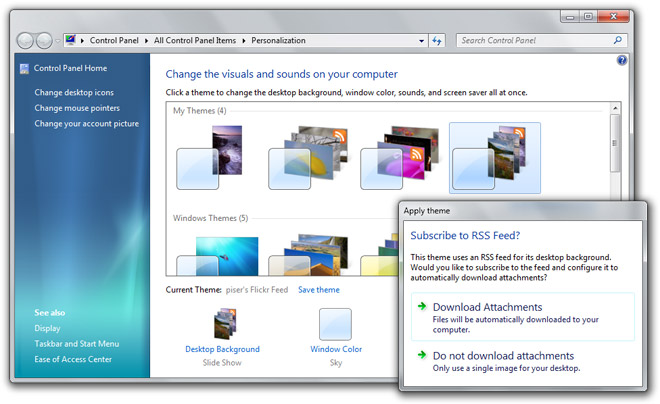



 There’s great marketing campaigns, like