 If you live outside of the United States and have just received a Live Mesh invite, your excitement may have been watered by those little words telling you you cannot install the Live Mesh desktop client onto your computer because it is not using US-English. Apparently they didn’t get the message on globalization.
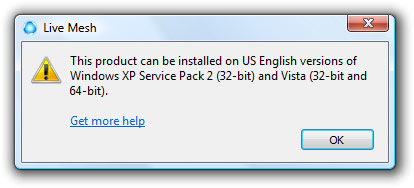
Well after a little investigation and experimentation, that’s actually not as much as a show-stopper as some of you may think. It involves a simple little Windows configuration change and a restart and you’ll be right back on track.
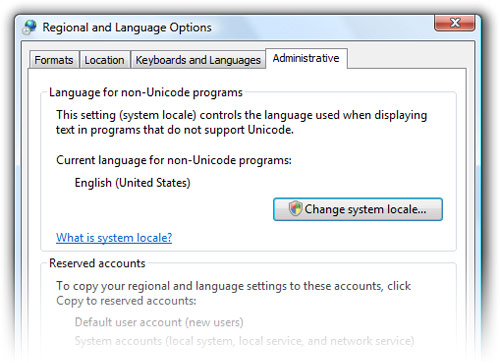
Step 1: Open the “Regional and Language Options” dialog. Type “Regional” into the Start menu and you should find it.
Step 2: Click on the “Administrative” tab.
Step 3: Click “Change system locale” and confirm the UAC dialog.
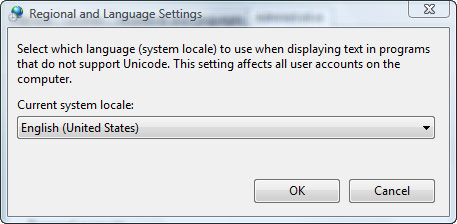
Step 4: In the drop-down list, find “English (United States)”. Click OK and OK again to restart the computer.
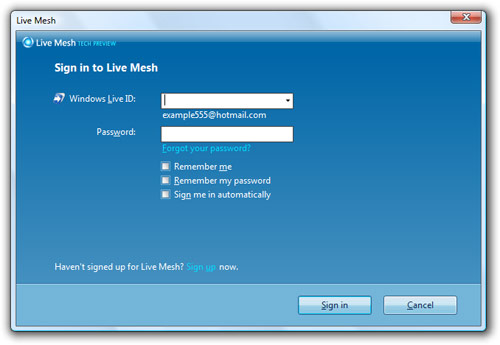
Step 5: Install Live Mesh client software.
Step 6: Revert your system locale to your original setting. You can continue to use the Live Mesh software once it has been installed without the locale being “English (United States)”.
Talk about sneaky. You’re having a long feild day, Long.
In the regional settings, you also must change the date format and currency to US in the format tab. 🙂
Benjamin
http://www.benjamingauthey.com
Thanks for the tip !!!
I did this to install a day or so ago, unfortunately it also makes you enable UAC. And once you’ve installed you cant just revert back to your original settings it requires you to have UAC on all the time or it wont open…Very annoying!
I want a review of Live Mesh by Five, or its your job, Long!
But really… I can has Mesh Reviews?
@Law – You should have UAC enabled like a good boy. If your annoyed by it, tweak what pops UAC prompts.
Yes, i discovered this right away, the setting for hr/date are not needed unless you are using a system set in a non-latin based language, and it is not in all cases weird enough and mostly in XP
Long should have said this same tweak works for XP systems too
@Yert Live Mesh rocks, seriously. That is all 🙂 Extended review: apart from UAC/Localisation bug, its fantastic. Can’t get the RemoteDesktop to work, but the rest rocks.
@Benjamin You don’t have to change the date format or currency – I know I didn’t – just the localisation setting.
Yes, Long is right. after I revert my vista sp1 (chinese), live mesh client can’t login, so the client don’t work and don’t sync…
@appbeta:
yeah, you cannot change your settings back if you are in a non-latin based language installation.
I wonder if you can get it to work with AppLocale… would save some reboots.
I get a message saying Live Mesh cannot be installed on a ‘elevated user account’. Unfortunatly I have deleted my original administrator account.
Anyone know a workaround?
Thanks for creating this site Long (:
I really hope I will receive an invite so that I can test out this promising concept.
Anyone? 😉 http://www.sharemesh.com/share2.php?id=381
Nice tip there Long – now I just need one of those invites…
Also, I feel compelled to point out, that going on the way you spell on this site (dialog, minimize etc) it would seem to me that you’ve got your system set to US English all the time. Where’s your Aussie pride, mate?
@Jono: Aussies don’t complain (as much) when they see US English, but Americans get all confused when they see UK English so I just do it out of habit.
This is the exact same solution I used to be able to participate in the Zune Social