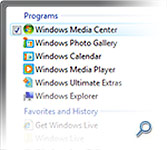
 Windows Vista’s Start menu search is a godsend. Even though the only thing that has changed is the introduction of a search box, it revolutionizes the way people will use the Start menu. But I’ve always wondered, how does the results get ranked? The results I’m looking for is nearly always selected, if not a few clicks away.
Are there Oompa-Loompas in the background keeping a track of my favorite applications? Is there a WiFi mind-reading technology built into Vista? Apparently it’s much more simpler than I thought, as this (very loud) patent application “OPERATING SYSTEM PROGRAM LAUNCH MENU SEARCH” by David Matthews, Charles Stabb and Matthew Lerner shows.
Like something out of science fiction, the Start menu search uses a complex scientific method called sorting, to display results from the most relevant to least relevant. The sorting algorithm is described on page 11 as follows.

Who knows what happened to rule 6 or 8, but these 20 simple rules make up one of the most simple and productive features in Windows Vista. Once you’ve used it, you’ll never want to go back.
Looking through the document, paragraph 108 provides an interesting insight into the future of this search box.
According to an illustrative aspect of the invention, (the) search box may be placed outside the Start menu, e.g., in (the) taskbar, in a sidebar, or floating on the desktop, and provide a mechanism to locate programs, files, and other items without navigating through Start menu. Search results and auto-complete results may be displayed in a resizable or nonresizable pop-up window presented above the search box. Upon selection of any search result, the selected item is launched and the pop-up window is removed.
i don’t think your quote is an insight into the future of the search box, instead it’s the description of the MSN deskbar. Although it is not as powerful as the windows vista search box [i would say it is limited in features], it literally serves the same purpose…
I honest don’t think it is related to the MSN deskbar or Windows Desktop Search bar. The “search box” they are referring to is definitely the start menu search.
I’d like to see the Search box outside the Start Menu, I wonder if this is just a hidden feature or if there’s an API around somewhere…
Mayhaps another Ultimate Extra?
I think it would be a neat Sidebar gadget to release, but certainly not an Ultimate Extras. Sounds a little bit cheap for an UE. 😛
Yea, I always wondered how it worked, so, how do you update so much?
Is it in your calender?
So how does this apply the the other older systems?
yup.. a nice feature..
i dont intend to spam, but: http://launchy.net/
Whatever you have made my day… no no, my YEAR. Me and the whole software dep too with this program. In fact it is better than the vista search, I’m totally impressed, I can put vista back to sleep now… :))
Vista Search Bar for XP
-uses windows desktop search(download it)
Link:
http://www.slylabs.com/node/57
Instant Search simply does not work to find text inside files. The only way is Google Desktop. The new Vista feature is useless and cumbersome.
Godsend? I beg to differ. I think it is a waist of system resources. I don’t need an indexed search because I know where I leave my files. At least you can disable this feature! I’m still searching for a way to remove the Search Bar from the Start Menu since it is quite a nuisance. Why does every one think index searching is the best thing next to slice bread?
Linux has had it for years, locate.
Yep, completely agree with Mike H.
Though I do require an indexed search to find my music and media – I only use and require it when I open my media library..I don’t want it on my start menu… I want to START things from my START menu, not SEARCH for them.
Now for those who are going, you just haven’t tried it. I HAVE AND I HATE IT. If you like it then fine, you can use it. I don’t like it and I don’t use it SO why can’t I remove the bloody thing…I don’t like being forced to use a keyboard to find applications or documents each time, especially when i used to do it more efficiently with a mouse.
old way: click click ahh lovely my program is opening
new way: click (start button) click (focus on search) move hand from mouse to keyboard – type type type type type – move hand from keyboard back to mouse – (click on item found that I want – IF it has found it) ahh at fecking last my program is opening
Proper way to use start menu search: I’m typing..typing, hit windows key, type first 3 letters of program..hit enter..program starts..
EZ 🙂
Hello again,
Since my original post I have used the search box on the start menu a few times (maybe 10 since last post) and on those occasions I have found it handy. HOWEVER, I still would like the ability to remove it from the Start Menu – why can’t I? I just can’t see the point on using it regularly when it still involves swapping from mouse to keyboard to mouse again. I do feel that it is an attempt by Microsoft to force me into using a technology of theirs that I had already tried, not liked and then discarded – namely Microsoft Desktop Search applications. To my mind, it’s a bit like signing up for a GMail account (for instance), trying it, not liking it, closing it and then a while later you find that a desktop version of Gmail has been installed as the default Email client on your PC. Can you imagine the outcry, should Google (for instance) force applications upon us that we had already declined to use!
I don’t mind Microsoft offering me free programs – thanks – but it really annoys me that I can’t remove them should I not find them useful enough to be in the main menu level of my GUI. Surely, the search component itself defy the anti-trust rulings, by not offering you another application ie. Google’s Desktop search or Copernic or even another version of the Microsoft search offerings.
I agree with Wez Hind. I just switched from XP to Vista and hate the extra clicks and typing to get to where I want.
Re: The Instant Search Box on the Startup Menu. Until recently, if I selected an item from the displayed list for detailed examination, the list remained intact and I could go back to it to examine another item. Now that has changed: when I select an item the rest of the list disappears and I need to retype the “search for” item to restore the list. That’s very inconvenient. Can you tell me how to restore that feature?
Well, I finally discovered a way of taking back MY start menu… the following link will give you the OPTION to do the same 🙂
http://classicshell.sourceforge.net/