Millions of computers starts each day with an image to remind users of which operating system they’re using. Here’s a look back at 22 years worth of the most agonizing waits in history.
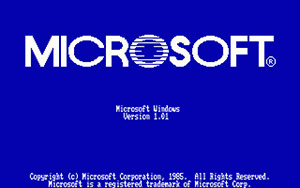 Windows 1.01: Since the blue-screen-of-death has yet to be |
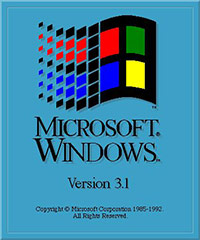 Windows 3.1: The first and last vertical bootscreen. The designer must have just found the color palette, bevel and drop shadow commands in Photoshop. Credits: PCForum.hu |
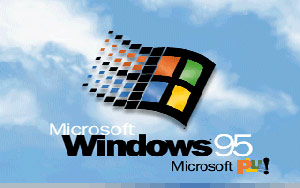 Windows 95: Clouds and infinite-scroll animation introduced. Copyright missing-in-action. Credits: WinSuperSite |
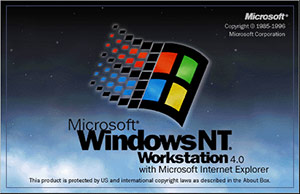 Windows NT 4.0: Dark and scary. Borders make a return. First bootscreen to feature the Microsoft logo. Credits: Dabestsite |
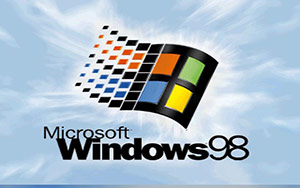 Windows 98: Better looking clouds for a better operating system. Copyright still missing-in-action. Credits: Windows Nation |
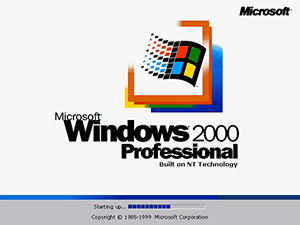 Windows 2000: Clouds removed. Copyright return. SKUs introduced. Barely-accurate progress bar invented. Credits: The Best Website Ever |
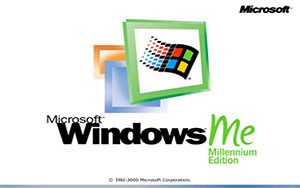 Windows ME: Just as colorful as the operating system experience. Progress bar abolished. Credits: Windows Nation |
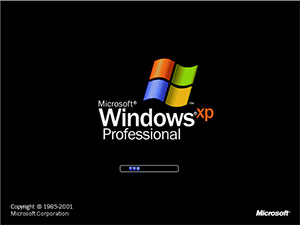 Windows XP: First white-on-black bootscreen. SKU branding (re)introduced, infinite-scroll color varied by SKU. Credits: The Elder Geek |
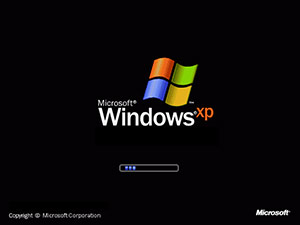 Windows XP SP2: All operating systems are created equal – Microsoft no longer discriminates SKUs. Copyright years removed. Credits: Win History |
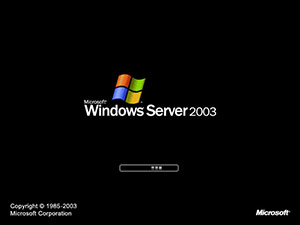 Windows Server 2003: No points for knowing where this was inspired was. Credits: Toasty Technology |
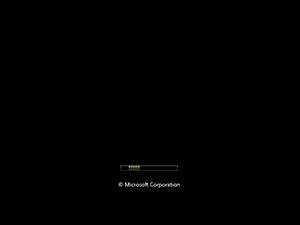
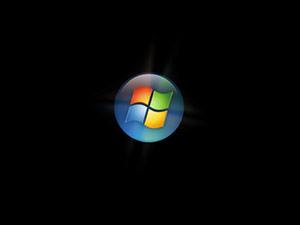
Windows Vista just has to be different. The first thing you’ll notice is there are two bootscreens, separating the low-level code and branding experience. The first bootscreen is an ultra-minimalistic scrolling animation featuring thin green lines which is only accompanied by a short copyright text. The second bootscreen features a full-resolution 32-bit animated glowing Windows pearl, synchronized together with the official startup sound. Credits: Ed Bott
It’s interesting to see how progressively smaller the Microsoft text gets.
Nice post! The vista startup doesn’t even contain the text “Windows”, I guess they think everyone knows their logo by now 🙂
I can’t say i consider those two vista screens as “a boot screen”. i _would_… but there’s several seconds of interval between them on my computer. if they were close to one another… but they’re not. and funny as it may sound, i still get a DOS mode blinking cursor in between them and in between the log off procedure and the log on screen. why hasn’t microsoft gotten rid of that blinking screen? i have no idea. 😛
The blinking cursor will always be there. The cursor is not part of Windows, it’s part of your computer. 😛
really nice post man. 🙂
They call it the “Most Advertised Piece” because of that boot screen, as well as in the installation.
Then Microsoft gets it minimalistic to save on boot loading time. I don’t get it… they claim to praise this “instant boot” feature, which means you will rarely see this screen, and yet when you do, it’s barely worth seeing.
I agree with the Vista comments- the orb doesnt get enough screentime. Couldnt MS atleast turn that vertical progress bar into say a square formation?
Curious, what does the Windows NT boot screen look like.
I actually like the minimalistic look of the bootscreen. And if it helops in boot time, even better.
Can u add NT, NT Server, and Server 2003? And XP bootscreen was the first to appear fading in gradually. And 95’s original bootscreen contained IE instead of Plus!. 🙂
One quick question – why are you using the American spelling of colour?
I’m pretty sure that the first Windows Vista bootscreen was just for beta testers as Microsoft probably didn’t want people to think that Vista had already been launched.
I can’t say I’m sure, but I think that the Vista RTM will have the logo above the endless progress bar (as with XP).
@Johnathan: Because most of my readers are American. 🙂
@Stephen: We’re all using RTM already.
well MS claims The vanilla Bootscreen reduces Boot time by 6 secs in RTM, i quite agree! the bott time is indeed quite low than XP. Btw, nice post 🙂
“It’s interesting to see how progressively smaller the Microsoft text gets.”
Haha, that made me laugh.
Great post. Nice comment about the size of the Microsoft text :). I didn’t even notice it at first.
I don’t see how removing a 15kb graphic lowers the boot time, but whatever!
@code.red, that made me laugh too, i wonder what it means…..
Since you added the boot screen change between XP and XP SP2, you might as well add the boot screen for XP x64. It has a different one also.
Interesting post. Personally, I liked the NT 4.0 boot screen. I don’t think it’s too scary, I think it’s pretty nice…
But I also like Vista’s uber-minimalist approach. As for the orb/pearl/whatever not getting enough screen time – maybe in the Welcome tutorial they can give it a whole big animation. 🙂 It could sprout arms and legs and be the Windows Mascot!
……on second thought, bad idea.
I don’t think removing the image makes the difference – I think not loading the code that interprets it is the real win…
When released to end-users in January I doubt Microsoft will add something else to that boot screen. As soon as solid-state and hybrid hard drives become more available to us users the instant boot feature will get rid of that first boot screen all together. The second, however will always been seen by everyone. What Microsoft “expects” people to do in the meantime is just put your computer in sleep mode instead of actually shutting it down. Thats why for those who are using the operating system right now might have noticed the shutdown button isnt shutdown by default its sleep mode. You can change it to be shutdown but Microsoft believes they have created the ultimate OS with no need for shutting down or rebooting unless you make a hardware change.
I’m not saying this is what happened but none of you seem to be considering this option….
I was a beta tester, as i am sure many of you were, and i couldn’t believe how much of a rush Microsoft seemed to be in. It was as if i just got the latest beta installed and they had released another one. This has lead me to believe that there were a lot of deadlines involved that they were struggling to meet.
What if in all this flurry they actually forgot to create the boot logo? Or maybe not forget it but actually implement it into the boot. If you type msconfig go to boot and select “No GUI Boot” you will get a bootscreen picture similar to the logon one. Don’t take any longer to load so that idea is out (i timed it 6 times after reading these threads).
I can’t say much for sure but what i can say is that it aint coz it loads faster without a picture. Try it for yourself.
Scott =op
What about MS BOB wait screen?
Very neat!
I agree with Scott, it would be really funny if they forgot to add a boot logo. Also, question, anyone know how to change the background on the log on screen? I tried looking on Google (that’s accually how I got here), but I didn’t find anything. Help please!
Microsoft sucks.
but still, we don’t know what’s going on behind, what does window$ execute during boot up, it makes that computer controls the user, not user control the computer … *sigh* microsuck
vista has a boot screen…..
go to start menu, click run, now type msconfig and system configuration opens. select boot option and check(Put A Tick)on the “No Boot Gui” Option.restart computer . now experience vista boot screen.
Still Dont Know Why Microsoft Had Hiddden The Boot Screen From Users!!!!Crazy Right
the windows NT 4.0 boot screen is blue with system info and dots to show that it is loading eg. http://www.windows-nation.de/nt4bootscreen.jpg
the windows nt 4.0 boot screen…
the shortest blue screen introduced
Nice overview of start up screens!
to bad that Vista hasn’t a real boot screen anymore.
I’m pretty sure that the original XP had a green progress bar. It was replaced with the blue one when SP1 came out.
At least it was where I am.
the green one was for Windows XP Home but then in XP SP1 it got replaced with blue which until that point was exclusive to XP Pro.
The Beta for MS Windows 7 has the same boot sequence as Vista